What Alex is
Alex is the AI agent built into xM-Flow stone fabrication software. It opens jobs, drafts quotes, queries your data, finds and reserves offcuts, flags risk and navigates the app on command, always within the permissions of the person asking.
Alex isn't a chat window bolted onto the side of the product. It sits on the same live data as everything else in xM-Flow, the jobs, quotes, slabs, offcuts, production board and finances, so it can act on what's actually happening in your shop rather than giving a generic answer.
What you can ask it to do
Alex takes plain-language commands from anyone with access to it, from the owner to the production manager. A few examples of the kind of thing shops ask:
- "Show me which jobs are at risk this week." Alex reads the board, the schedule and QC, and flags the jobs likely to slip.
- "Find a Calacatta offcut and reserve it." It searches offcut inventory and reserves the match against the job, so nobody cuts it down for something else.
- "Draft a quote for the Smith kitchen." It starts the quote from your live rates for someone to check and send.
- "Open the job for the Parnell install." It takes you straight there, without hunting through menus.
Alex works within role-based access control. It can only take actions the signed-in user is allowed to take, so an operator's Alex and the owner's Alex see and do different things.
Predictive, not reactive
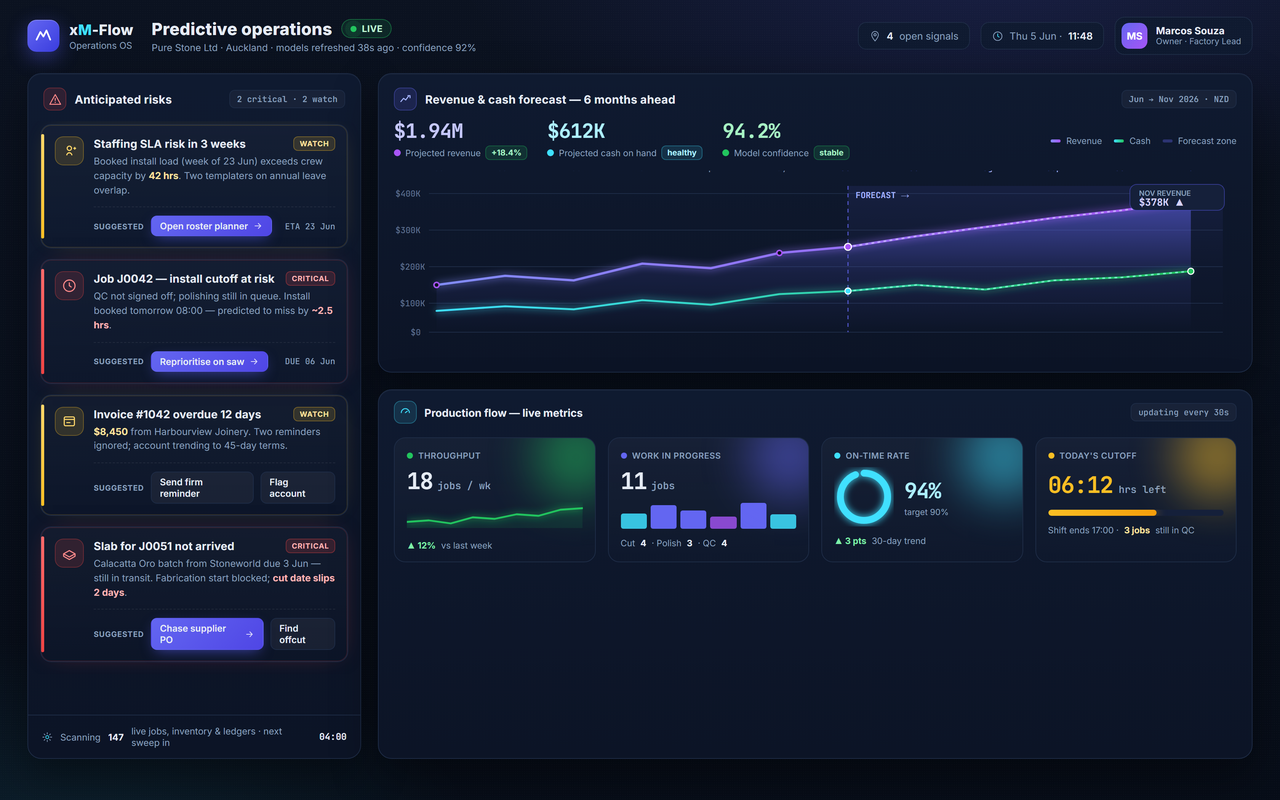
Alex also works in the background. Risk, timing and cash are watched continuously and flagged before they hurt. SLA, cutoff and manager briefings fire on their own.
Target pacing is a good example. Set a daily production target and the system reads the day's jobs and their value, and projects whether you'll hit it. If you're going to fall short, it shows the workload change that would get you there. In the illustrative example below, a day targeted at eight jobs is tracking short, and Alex suggests pulling one job forward and running two polish jobs into overtime to get back on target.
Business Advisor mode
On Pro and Pro+, Alex adds Business Advisor mode. Instead of just running commands, it helps you think through a decision. Ask it what happens to throughput and revenue if you add a second install crew, and it scopes the question against your own numbers.
Advisor mode watches for margin drift on the kinds of jobs you take, and for cash-flow timing between what you've invoiced and what you owe. It's built to push back honestly when the numbers don't support an idea, rather than telling you what you want to hear. Alex says plainly that its analysis is a suggestion, not absolute truth. The decision stays yours.
Smart approvals
Alongside Alex, approvals in xM-Flow are routed by data rather than habit. Budget, price history and job margin sit on the approval card before anyone decides. Large purchase orders and rare-material remakes escalate to the owner, and a critical-machine breakdown jumps the queue. Approving books the budget automatically, and a rejection records why.
Alex on each plan
| Growth | Pro | Pro+ | |
|---|---|---|---|
| Alex AI agent | Included | Included | Included |
| AI usage | Pay-as-you-go | Included | Included |
| Business Advisor mode | No | Yes | Yes |
See the plans on the pricing section.
Safety and control
AI that can act inside your business needs guard rails, and Alex has them. It runs inside each workspace's isolated tenant and within role-based permissions. Defences against prompt injection are always on, AI usage is metered automatically, and every action is recorded in the audit trail.
AI output can be wrong or incomplete. Check it before you act on it, especially for anything that can't be undone. Alex is there to take the busywork off your team and surface what matters, not to replace anyone's judgement.
Next on the roadmap is a visual copilot for the factory floor, built on the same AI that already powers Alex. It isn't shipped yet.
Frequently asked questions
What can Alex do?
Alex opens jobs, drafts quotes, queries your data, finds and reserves offcuts, flags jobs at risk and navigates the app on command, all inside xM-Flow and on your own records.
Can Alex take actions I'm not allowed to take?
No. Alex acts within the permissions of the signed-in user and only takes actions that user is authorised to take. Every action is recorded in the audit trail.
What is Business Advisor mode?
On Pro and Pro+, Alex can work as a business advisor. It helps scope decisions, spots margin drift and cash-flow timing, and pushes back honestly when the numbers don't support an idea. It's clear that its analysis is a suggestion, not absolute truth.
Is Alex included in every plan?
Alex is in every plan. On Growth, AI is pay-as-you-go. On Pro and Pro+, AI is included and Business Advisor mode is switched on.
Should I trust everything Alex says?
No, and Alex won't ask you to. AI output can be wrong or incomplete, so check it before acting, especially for anything irreversible. Alex assists your team. It doesn't replace your judgement.